Loom
When a meeting is not entirely necessary and a writing explanation may be confused, Loom steps in.
What is Loom?
Section titled “What is Loom?”Loom is Terra’s async video communication tool. It allows us to quickly record short videos (screen, camera, or both) to explain ideas, give feedback, share updates, or document processes without needing a live meeting.
We use Loom to:
- communicate asynchronously across time zones
- explain complex ideas faster than writing long messages
- give clear feedback on designs, code, or documents
- document processes, walkthroughs, and internal knowledge
- reduce unnecessary meetings while keeping context
When to Use Loom
Section titled “When to Use Loom”Loom is especially useful when:
- an explanation would take too long to write in Slack or ClickUp
- you need to show something visually (designs, flows, bugs, dashboards, code)
- you’re giving feedback that benefits from voice and context
- you want to share updates asynchronously instead of scheduling a meeting
- you’re documenting a process or onboarding steps
Avoid using Loom when:
- a quick text message is enough
- the topic is very sensitive or confidential (check with your PM)
- real-time discussion or decision-making is required
How to record a Loom?
Section titled “How to record a Loom?”- Access to Loom and go to
Libraryin the left sidebar. - Click in the
New Videobutton located in the top right of the screen.
 3. Select
 Record a video
4. Select the options you need for the recording: Full Screen, Camera and Microfone and click on Start recording
Once you’ve recorded your video, make sure you move it to the correct folder before sharing it with your teammates.
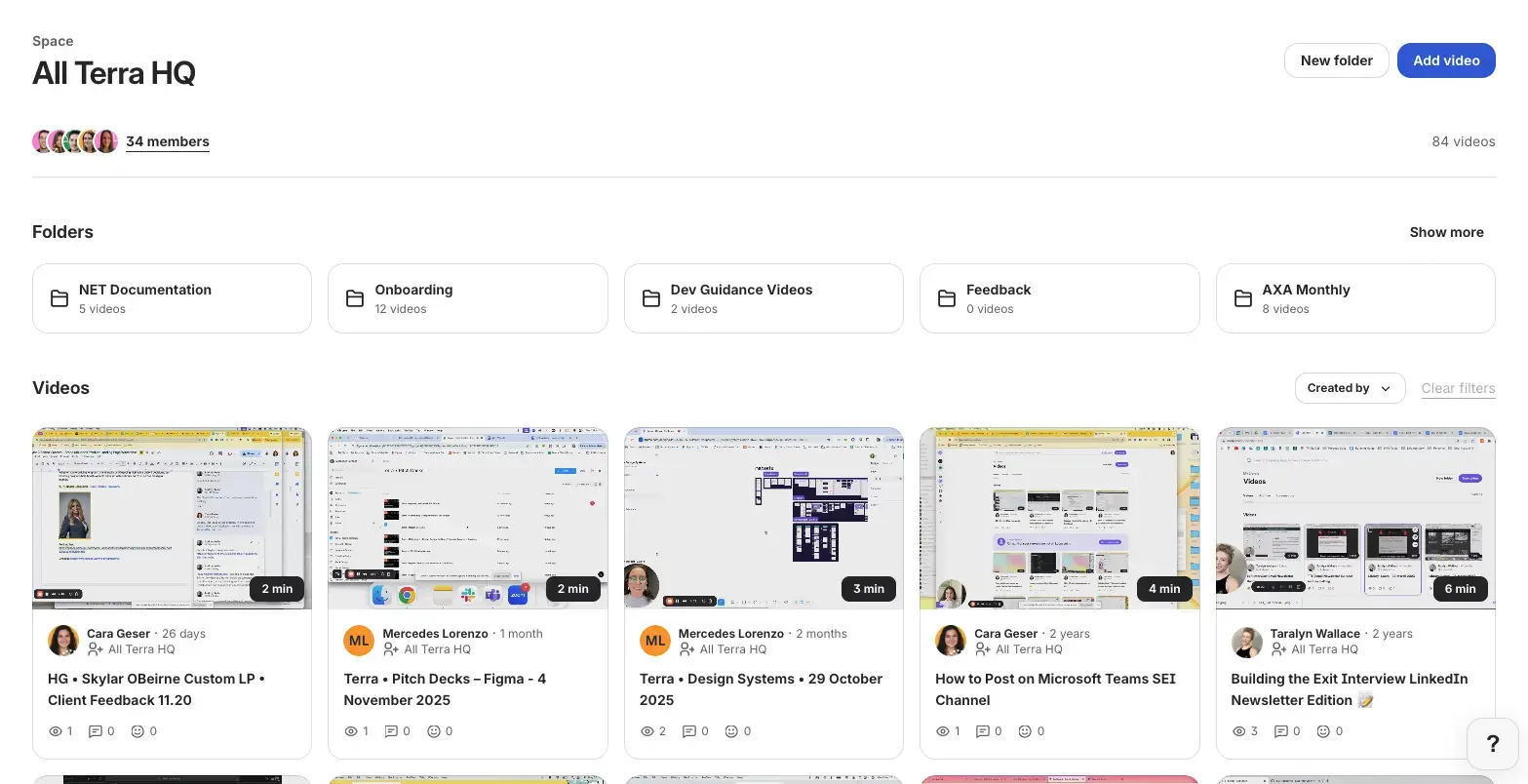
Loom Folder Organization
Section titled “Loom Folder Organization”These are the folders we’re working right now (this may change from time to time, please flag it if this structure is different):
- Onboarding → explanations useful for new team members
- Dev Guidance Videos → doubts or review on dev matters
- Feedback → client related feedback
- NET Documentation → Netwrix documentation
- AXA Monthly → AXA marketing reports
- Mining Process → mining process
- LFW Weekly Leads → LFW weekly leads
Good Loom Practices
Section titled “Good Loom Practices”- Use clear titles
- Move your loom to the corresponding organized folders
- Accompany your Slack thread with a loom when needed
- Keep videos concise and focused (one main topic per Loom)
- Always add written context when sharing a video.
- Avoid rambling — outline mentally before recording.
- Re-record if the message is unclear or too long.
Knowledge Check
Test your understanding of this section
Loading questions...