Manager.js
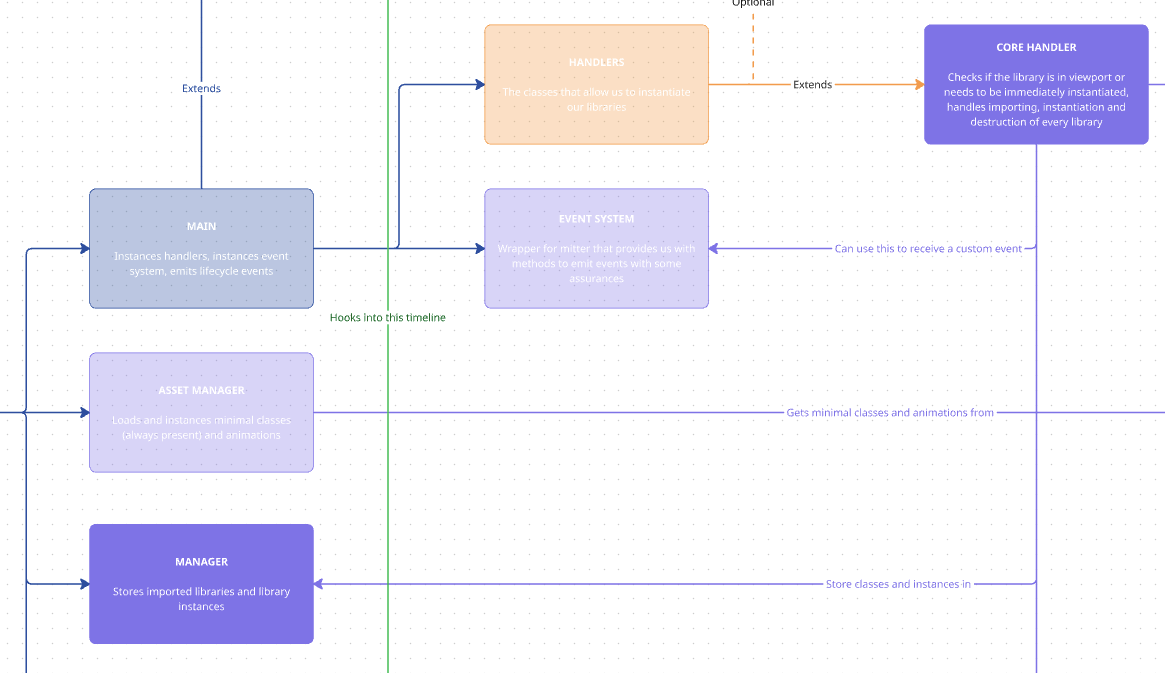
This class is in charge of storing our libraries and instances, as well as providing us access to them.
Libraries
Section titled “Libraries”addLibrary()
Section titled “addLibrary()”addLibrary({ name, lib, modifyHeight }) { if (!name || !lib) { this.debug.error(`⚠️ Error adding library, provide name and resource`, { panel: "manager" }); throw new Error("Error adding library, provide name and resource"); } if(this.libraries[name]){ this.debug.manager(`✅ Library ${name} already in Manager`) return }
this.libraries[name] ??= lib; this.debug.manager(`🟢 Library ${name} added to the Manager`);
// Add library to modifying height if necessary if (modifyHeight) { this.librariesHeight.push(name); this.debug.manager(`↕️ Library ${name} added to modifying height libraries`, { color: 'pink'}) } }This method adds a library’s code into our Manager for us to be able to access it later on. It is used by our CoreHandler to store the libraries it imports.
This allows us to import our library only once and access it in successive page transitions without importing the code again.
If the library has the modifyHeight property in the resources file, it gets added to an array of height modifying libraries that will allow us to load them with preference when we need to make an anchor at the top of a page.
getLibrary()
Section titled “getLibrary()”getLibrary(name) { if (!name) { this.debug.error(`⚠️ Error getting library, provide name`, { panel: "manager" }); throw new Error("Error getting library, provide name"); } return this.libraries[name]; }This method gives us access to the library code.
instances
Section titled “instances”addInstance()
Section titled “addInstance()”addInstance({name, instance, element, method}) { if (!name || name === "") { this.debug.error(`⚠️ Error creating instance: provide library name`, { panel: "manager" }); throw new Error("Error creating instance: provide library name"); } if (!instance) { this.debug.error(`⚠️ Error creating instance: provide instance object`, { panel: "manager" }); throw new Error("Error creating instance: provide instance object"); } if (!this.instances.hasOwnProperty(name)) { this.instances[name] = []; }
this.instances[name].push({ instance, element, }); this.debug.instance(`✅ ${method} - Instance created: ${name}`, {color: method == 'Core' || method == "AssetManager" ? 'pink' : method == 'Viewport' ? 'white' : method == 'Event / Anchor' ? 'orange' : 'yellow' }) }This method adds a single instance object into an array of instances of a determined library.
That instance object contains both the instance itself as well as the element to which the instance is associated. This allows us to access individual instances and the elements they associate with, to be able to make proper destroys or manipulate them.
getInstances()
Section titled “getInstances()”getInstances(name) { if (!name) { const result = this.instances; return result; }
const result = this.instances[name]; return result; }Gets all available instances for a library.
getInstance()
Section titled “getInstance()”getInstance({ libraryName, element }) { const libraryInstances = this.instances[libraryName]; if (!libraryInstances || libraryInstances.length === 0) return null; return libraryInstances.find((instance) => instance.element === element)?.instance}Gets a specific instance for a library and element. You need to pass it a valid library name and an HTML element to get the instance associated to that specific element.
cleanInstances()
Section titled “cleanInstances()”cleanInstances(name) { if (!this.instances[name]) { this.debug.error(`⚠️ Error at clean up: instances of ${name} not found`, { panel: "instance" }); throw new Error(`Error at clean up: instances of ${name} not found`); } this.instances[name] = []; this.debug.instance(`🧹 ${name} instances cleaned`, {color: 'red'}); }Cleans up the array of instances for a library. We use this after destroying each individual instance to keep a clean Manager in page transitions.
Knowledge Check
Test your understanding of this section
Loading questions...