Advanced usage
Although we have covered how to implement any library in the code, there are a few cases that can make you think: and how would I do this?.
Library in library
Section titled “Library in library”Sometimes we need to call a library inside another library. For instance, we need a form that displays inside a collapsify tab or a slider that loads inside a modal.
We’re going to take a look at how to do this latter one, but any of them would be approached equally.
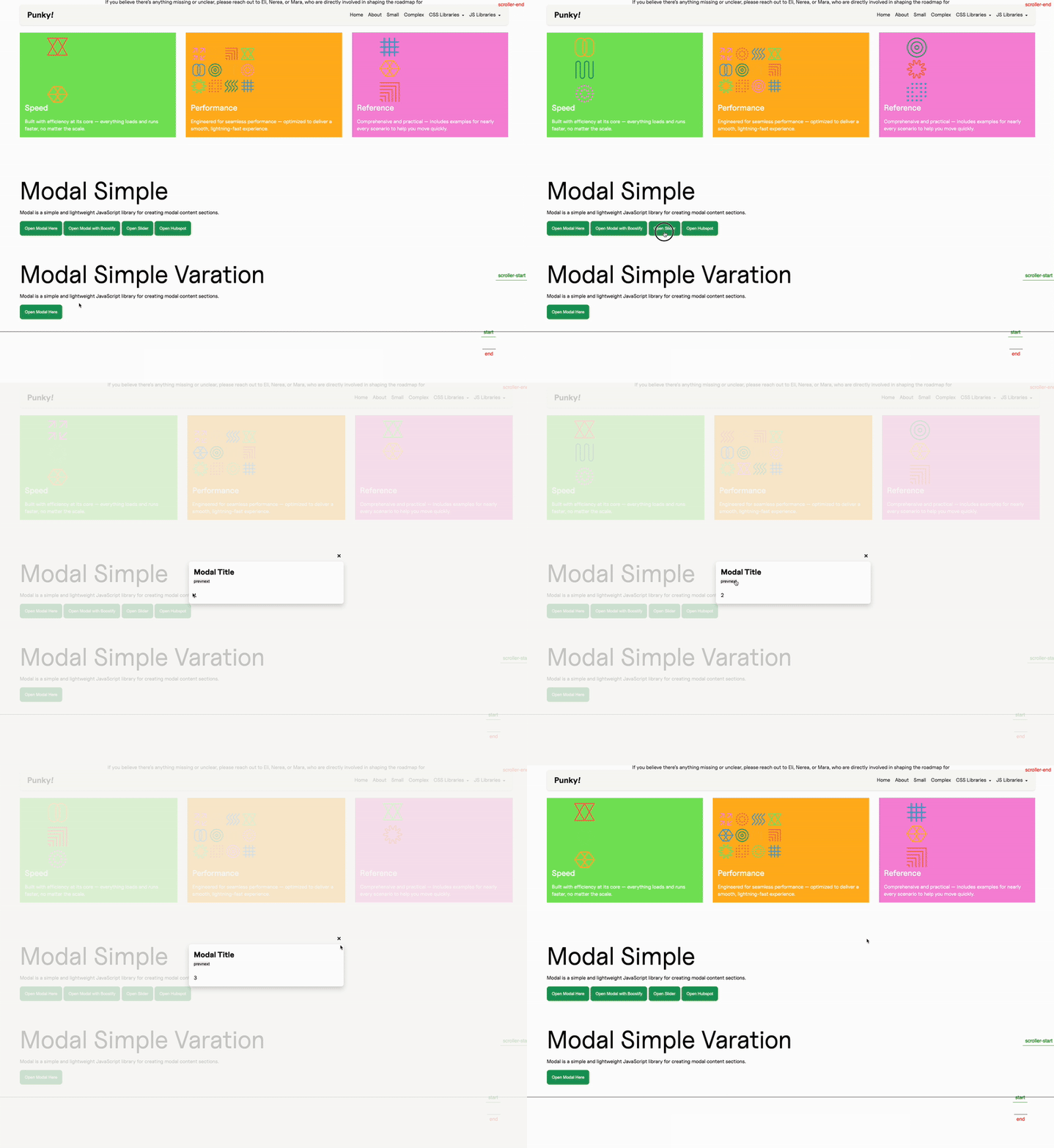
In the “external” library
Section titled “In the “external” library”First we’re going to take a look at what we need to do in the outer library, here that would be our Modal, which is going to contain our Slider.
In our configuration, we have a Slider variation for our Modal (find extended explanations on how the Modal works here):
this.config = ({ element }) => ({    ...    beforeOpen: (modalEl, trigger) => {        ...
        switch (variation) {            ...            case "slider":                sliderVariation({ eventSystem: this.eventSystem, dialogContent, paragraph });                break;            ...        }    },    ...});
And this variation comes from an external file, to keep our Modal handler as clean as possible:
export function sliderVariation(payload) {    const { eventSystem, dialogContent, paragraph } = payload;    if (paragraph) {        u_style(paragraph, [{ display: "none" }]);    }
    dialogContent.innerHTML = `                            <div class="c--slider-a js--slider js-modal-dynamic">                              <div>1</div><div>2</div><div>3</div>                              <div>4</div><div>5</div><div>6</div>                            </div>                          `;
    eventSystem.loadEvent({ library: "Slider", where: "Modal" });}
So here we are forming the Slider’s HTML and adding it to the innerHTML of the modal element, and afterwards we use our eventSystem to tell it we want to load a new Slider, and we are doing it from our Modal.
This will emit a Slider:load event, and that is it from our outer library’s perspective.
In the instantiated library
Section titled “In the instantiated library”Now we need to listen to our new event in the handler of our Slider library, since we want it to be activated whenever we receive that Slider:load event.
this.emitter.on("Slider:load", (payload) => {    this.DOM = this.updateTheDOM;
    super.assignInstances({        elementGroups: [            {                elements: this.DOM.sliderElement,                config: this.config,                boostify: { distance: 30 },            },        ],        forceLoad: true,    });});
So here we listen to our custom event, we update the DOM to get that Slider element that we introduced in our modal, and then we use our assignInstances method, but here we will send our forceLoad property as true.
We do this because that property tells our CoreHandler that the library needs to be loaded immediately, without evaluating if it’s in the viewport or not. We could probably get away with it correctly detecting that the library is indeed in the viewport in most cases, but we can avoid that check and possible race conditions forcing it to load, since we know we want it right away.
What happens afterwards?
Section titled “What happens afterwards?”As in every other occasion, we need to destroy our instance when we don’t need it anymore.
So in this example, we would have a method in our Modal configuration that is hooked up to the closing of the modal and that will emit the destroy event for our Slider:
export function handleOnClose(payload) {    const { modalEl, eventSystem } = payload;    ...
    if (hasSlider) {        eventSystem.destroyEvent({ library: "Slider", where: "Modal" });    }}
And we will listen to this event in our Slider handler, as we did for the load version:
this.emitter.on("Slider:destroy", () => { if (this.DOM.sliderElement.length) { super.destroyInstances(); }});Knowledge Check
Test your understanding of this section
Loading questions...