Anchor To
This class is responsible for anchoring to a certain element from the page. It works like a regular HTML #, but we have support for select elements and we use a custom class on top of our library to handle height modifying libraries.
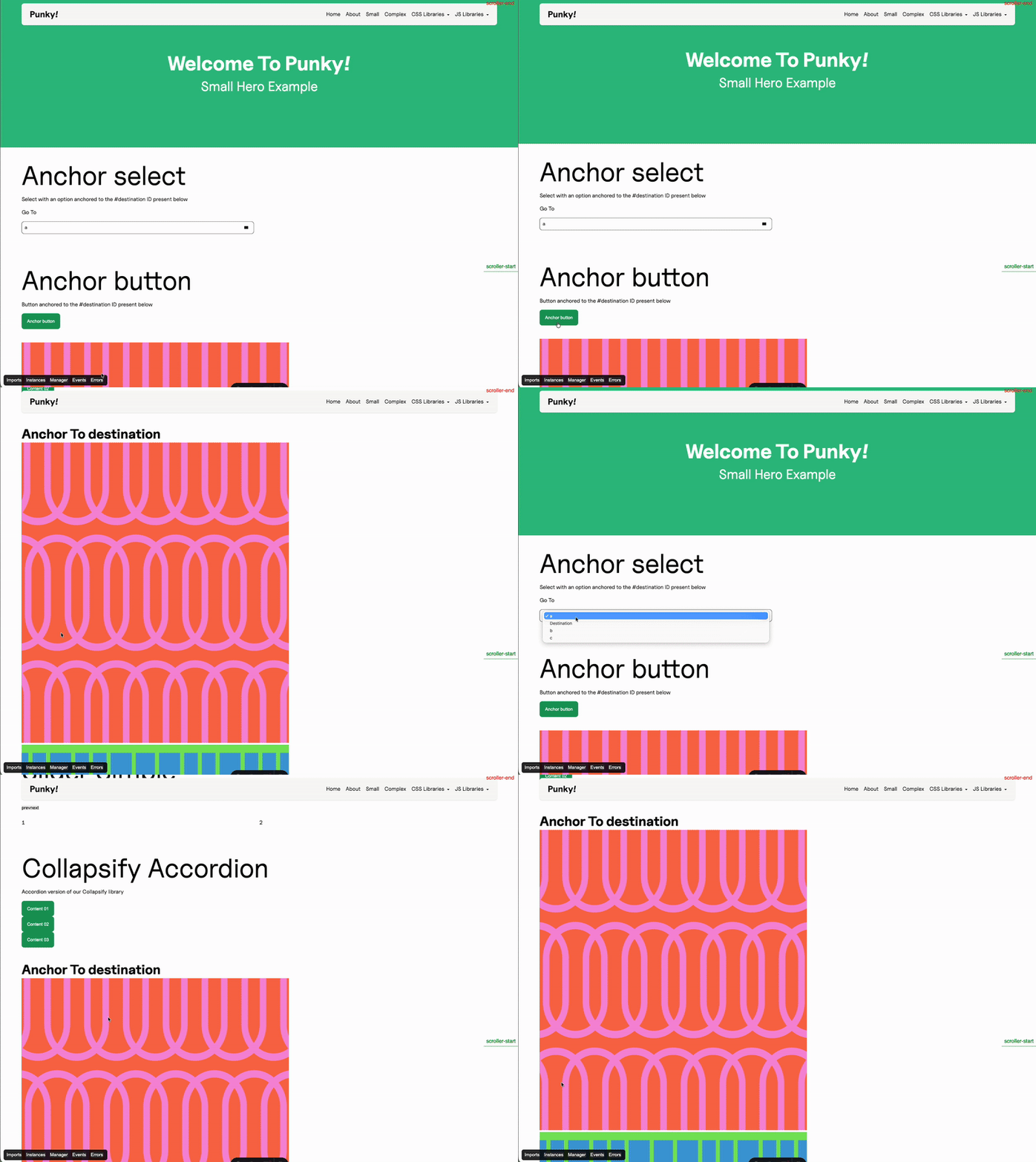
We need first a destination, which will contain an ID, either manually applied or (most commonly) dynamically injected from our backend:
<h2 class="f--font-c" id="destination"> Anchor To destination</h2>Once we have our destination, we need an interactive element that will lead the user straight to that destination.
We can have a button:
<button class="c--btn-a js--anchor-to" anchor-id="destination" type="button"> Anchor button</button>In which the anchor-id attribute can be dynamically retrieved.
Or we can have a select element:
<select class="js--anchor-select"> <option value="a">a</option> <option value="destination">Destination</option> <option value="b">b</option> <option value="c">c</option></select>Where the option value is what determines the destination of the anchor.
Our handler is pretty similar to all our other handlers:
    constructor(payload) {        super(payload);
        // PUT HERE THE CONFIG OF YOUR CLASS        this.config = ({element}) => {            return {                trigger: element,                destination: document.getElementById(element.getAttribute('anchor-id')),                offset: 120,                speed: 100,                url: "none",                eventSystem: this.eventSystem,            };        };
        this.selectConfig = ({element}) => {            return {                trigger: element,                offset: 120,                url: "none",                speed: 100,                eventSystem: this.eventSystem,            };        };
        this.init();        this.events();    }
The constructor holds our configurations, in this case we have both the button configuration and the select configuration, depending on the element that will execute the anchor. Note that the only different thing is that the select configuration does not need a destination since it is the value of that same element. The rest of the configuration stays the same.
    get updateTheDOM() {        return {            anchorElements: document.querySelectorAll(`.js--anchor-to`),            anchorSelectElements: document.querySelectorAll(`.js--anchor-select`),        };    }
    init() {        super.getLibraryName("AnchorTo");    }
Then we have our DOM with both our anchor elements and our select elements. In regular anchors each button that anchors to something is an instance of the class, while the select element is in itself one single instance containing several anchoring options inside.
    events() {        this.emitter.on("MitterContentReplaced", async () => {            this.DOM = this.updateTheDOM;
            super.assignInstances({                elementGroups: [                    {                        elements: this.DOM.anchorElements,                        config: this.config,                        boostify: { distance: 30 },                    },                    {                        elements: this.DOM.anchorSelectElements,                        config: this.selectConfig,                        boostify: { distance: 30 },                    },                ],            });        });
        this.emitter.on("MitterWillReplaceContent", () => {            if (this.DOM.anchorElements.length || this.DOM.anchorSelectElements.length) {                super.destroyInstances();            }        });    }
And our events are the same as all the rest, we just instance our elements using our coreHandler and destroy our instances on page exit.
Custom class
Section titled “Custom class”We might need a custom class for our anchor if we:
- Have height modifying libraries in the same page as our anchors
- Our anchor is at the very top of the page, before the user scrolls
import { getModules } from "@js/resources";import Anchor from "./OriginalAnchor";
class AnchorTo {    constructor(payload) {        this.eventSystem = payload.eventSystem        this.init(payload)    }
    init(payload) {        this.loadHeightModifyingLibraries();        this.anchor = new Anchor(payload);    }
    events() {}
    loadHeightModifyingLibraries() {        const libraries = getModules()        const heightModifyingLibraries = libraries.filter(lib => lib.options?.modifyHeight)        heightModifyingLibraries.map(lib => {            this.eventSystem.loadEvent({library: lib.name, where: 'AnchorTo'})        })    }
    destroy() {        if (this.anchor && typeof this.anchor.destroy === 'function') {            this.anchor.destroy();        }        this.anchor = null;    }}export default AnchorTo;
We will then add this class to our filesystem and use this class in our resources file, since this allows our anchor to immediately load all height modifying libraries present in the page before anchoring, to accurately calculate the height at which our destination is.
Additional requirements
Section titled “Additional requirements”When using height modifying libraries, for our custom class to function, we’ll need to add our library instantiation to their custom library:load events in their handler. For instance, here we would need to go into our Collapsify handler and add the following:
events() { this.emitter.on("Collapsify:load", async () => { await super.assignInstances({ elementGroups: [ { elements: this.DOM.collapsifyElement, config: this.configSimple, boostify: { distance: 30 }, }, { elements: this.DOM.collapsifyAccordion, config: this.configAccordion, boostify: { distance: 30 }, }, { elements: this.DOM.collapsifyTab, config: this.configTabs, boostify: { distance: 30 }, }, ], forceLoad: true, }); }); ... }So our elements would load on the event fired by our anchor class, and we specify forceLoad so our coreHandler knows to load them even if they are not in the viewport.
Knowledge Check
Test your understanding of this section
Loading questions...