CookieYes
CookieYes is one of the cookie consent management platforms used at Terra, typically in projects with simpler setups or specific client requirements.
It provides flexible banner customization, manual cookie control, and full consent logging.
What is CookieYes?
Section titled “What is CookieYes?”CookieYes is a consent management platform (CMP) that helps websites comply with privacy regulations such as GDPR, ePrivacy, and US State Laws.
It allows you to:
- display and customize a cookie consent banner
- manage cookie categories manually
- control consent behavior by region
- store and log user consent
- customize banner layout, content, and colors visually
CookieYes admin interface overview
Section titled “CookieYes admin interface overview”CookieYes is fully managed from its admin interface, where banner configuration, content, layout, and cookie lists are defined.
Dashboard & main navigation
Section titled “Dashboard & main navigation”From the dashboard you can access:
- Cookie Banner configuration
- Cookie Manager
- Consent Log
- Languages
- Advanced settings
Domains
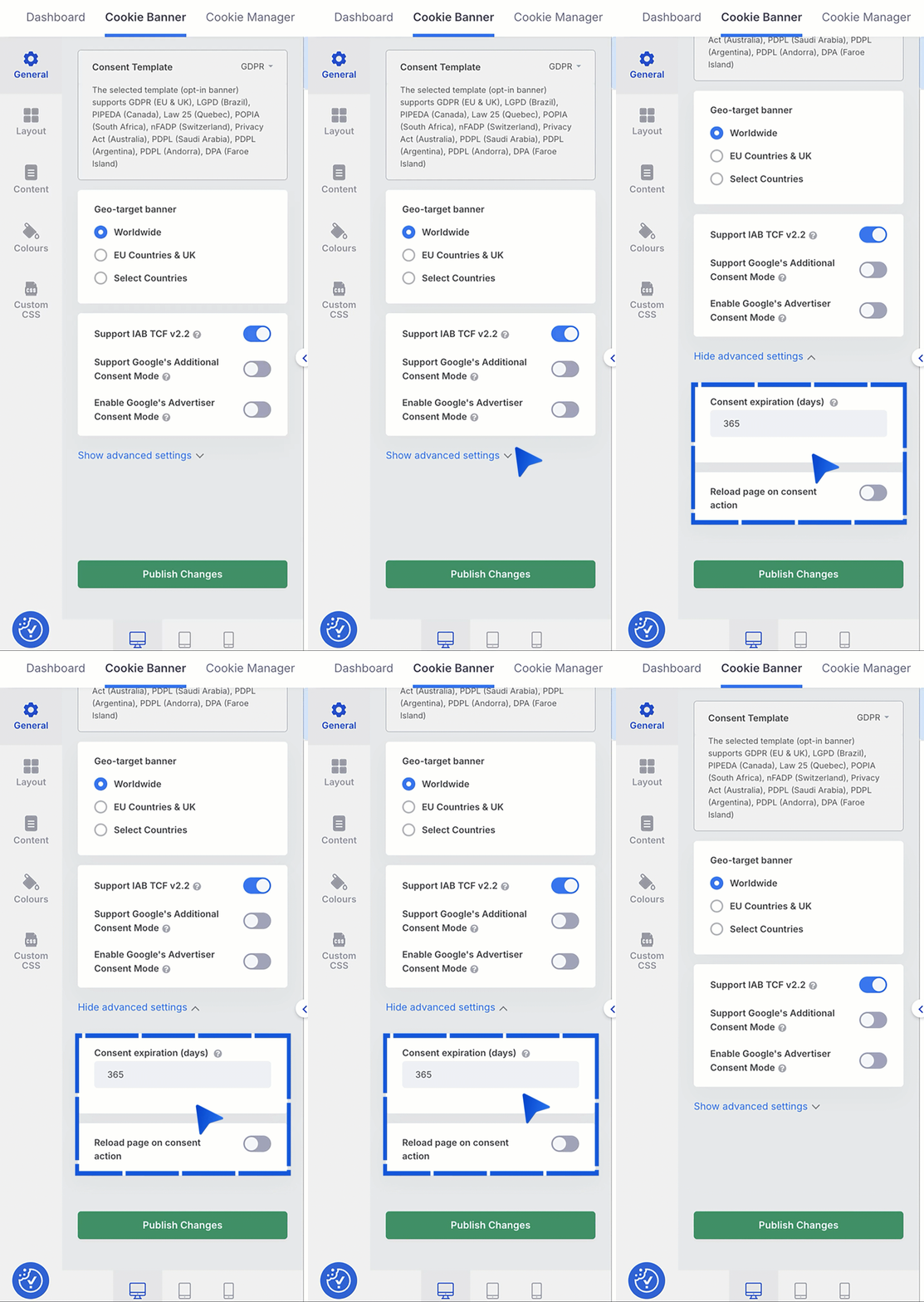
Section titled “Domains”- Select the appropriate Consent Template:
- GDPR
- US State Laws
- GDPR & US State Laws
- Define geo-targeting (Worldwide, EU & UK, or selected countries)
Banner layout
Section titled “Banner layout”Banner layout and interaction are configured under Cookie Banner → Layout.
You can define:
- banner type: box, banner, popup
- banner position (top, bottom, left, right)
- preference center layout:
- center
- sidebar
- push down
- whether categories appear on the first layer
Banner content
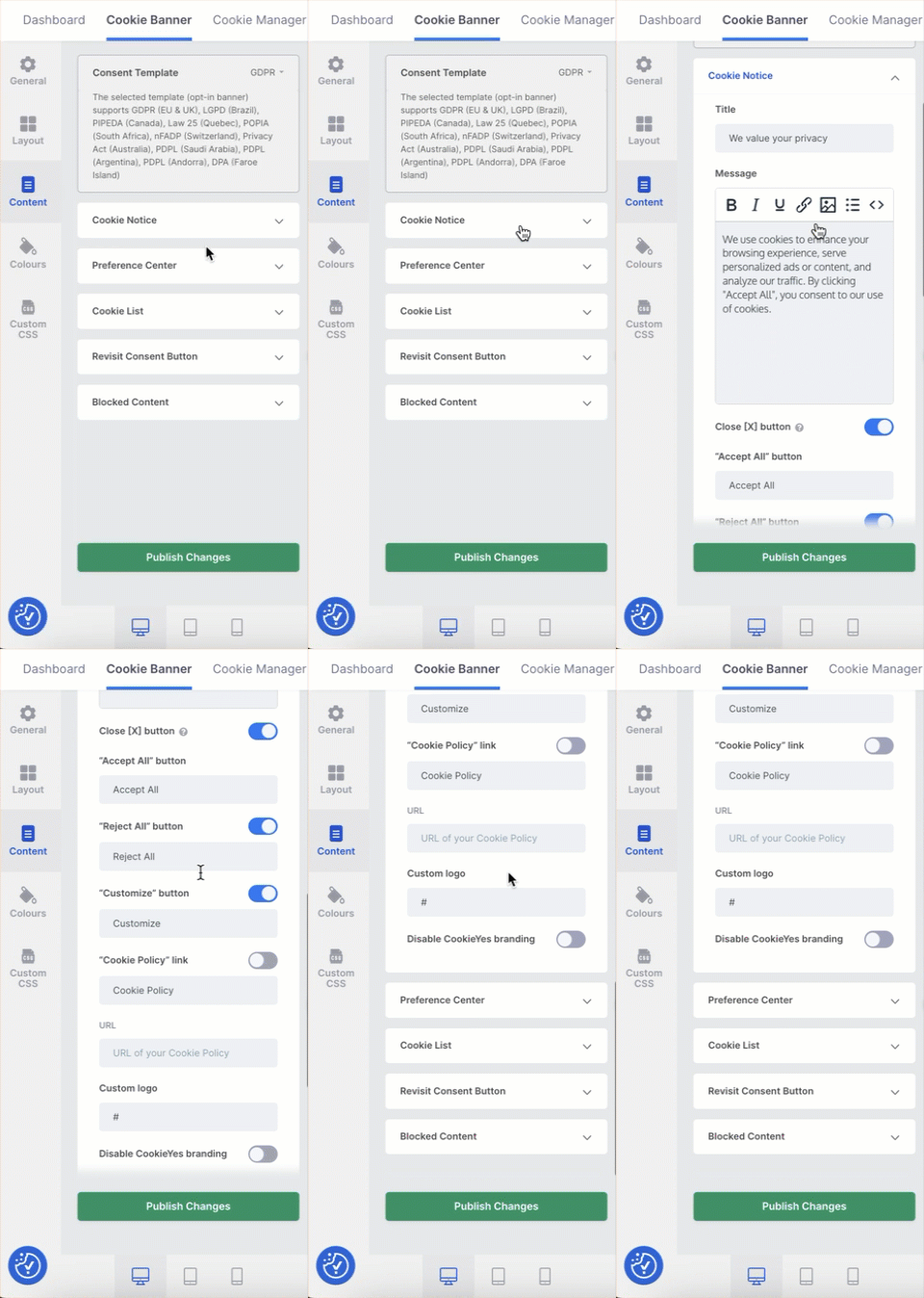
Section titled “Banner content”Content is managed under Cookie Banner → Content.
You can edit:
- cookie notice text
- preference center title and description
- cookie category descriptions
- revisit consent button
- blocked content messages
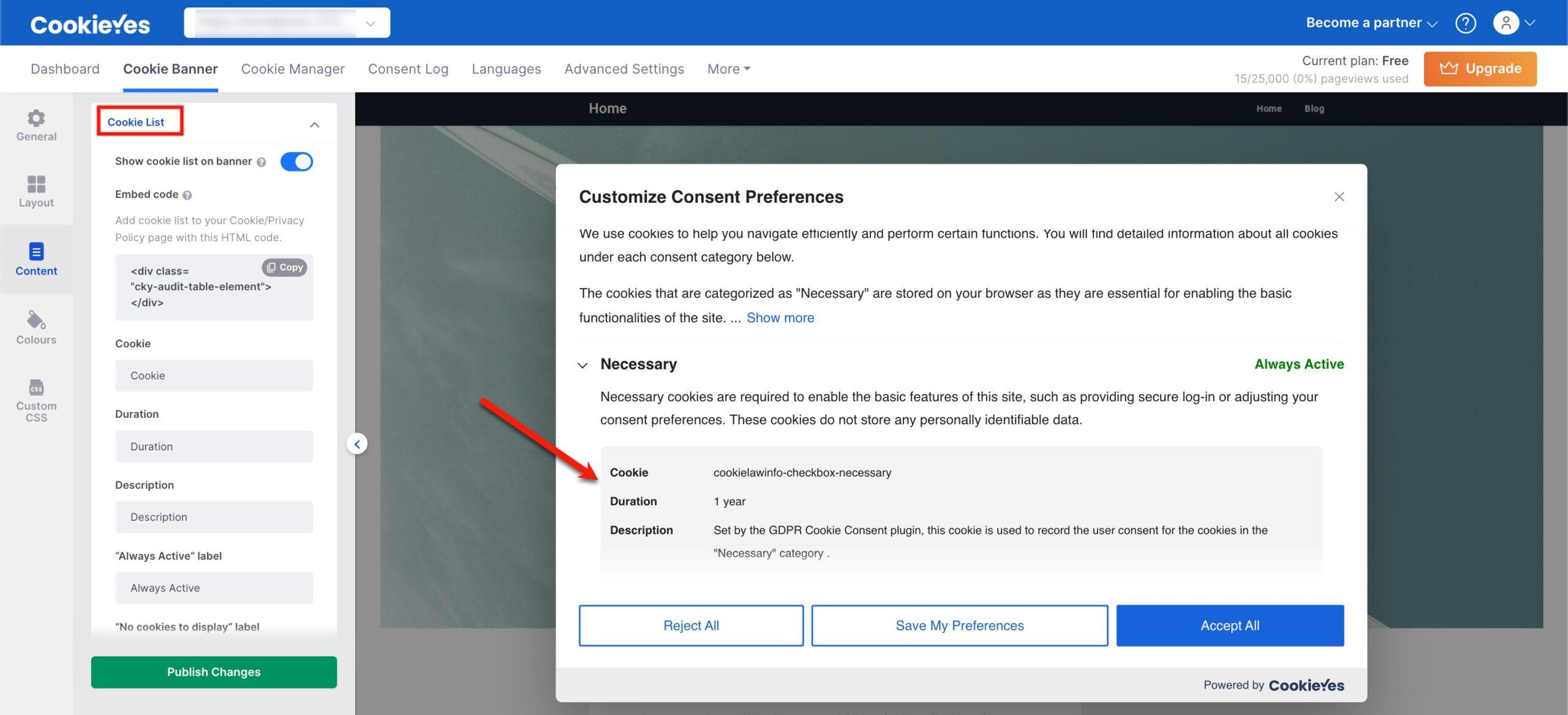
CookieYes requires manual cookie configuration.
Under Cookie List, define:
- cookie name
- duration
- description
- associated category
This information is shown to users inside the preference center.
Style the Cookieyes banner
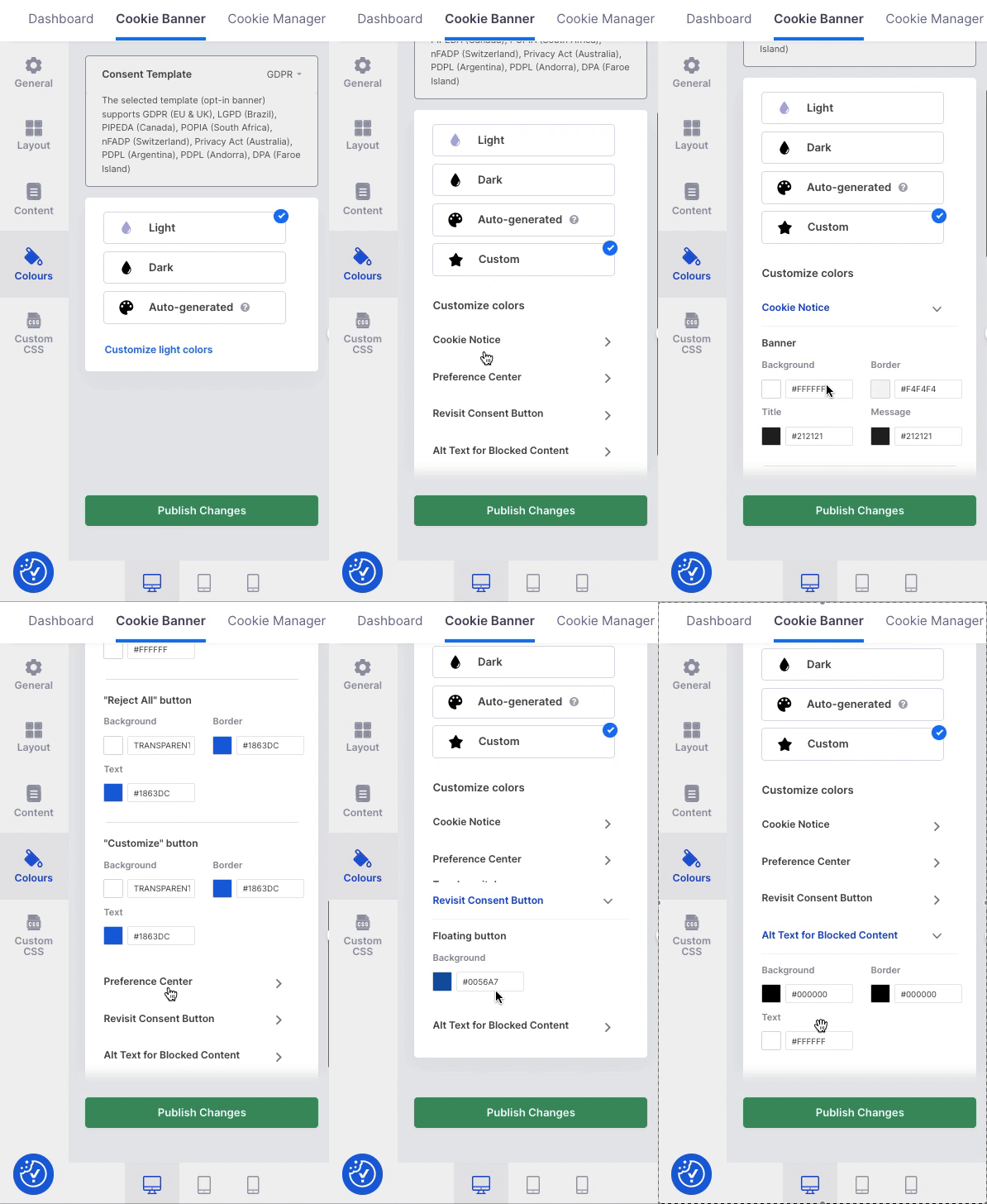
Section titled “Style the Cookieyes banner”Visual styling is handled under Colours.
You can choose:
- light theme
- dark theme
- auto-generated theme
- customize brand colors manually
Implementations
Section titled “Implementations”CookieYes must always be implemented via Google Tag Manager (GTM).
Implementation rules:
- Never hardcode the CookieYes script directly in the project
- Use GTM triggers and consent states
- Ensure all third-party scripts respect consent categories
Best practices
Section titled “Best practices”- Always implement CookieYes via Google Tag Manager
- Never hardcode cookie scripts
- Configure and style banners from the CookieYes dashboard
- Manually review cookie lists and categories
- Keep consent logic centralized and auditable
- Treat stage and production as separate domains
Knowledge Check
Test your understanding of this section
Loading questions...