Pardot - Template Editor
Pardot provides a visual email template editor that allows marketers to edit content while developers maintain control over structure and behavior.
At Terra, we use Pardot’s Template Editor to:
- build reusable email templates
- define editable regions via HTML attributes
- test email rendering across clients and devices
This guide explains how the Template Editor works and the best practices we follow when creating email templates.
Overview
Section titled “Overview”The Pardot Template Editor is divided into several sections, but the most relevant ones for our workflow are:
- Building – where templates are created and edited
- Testing – where templates are rendered and validated across email clients

Building view
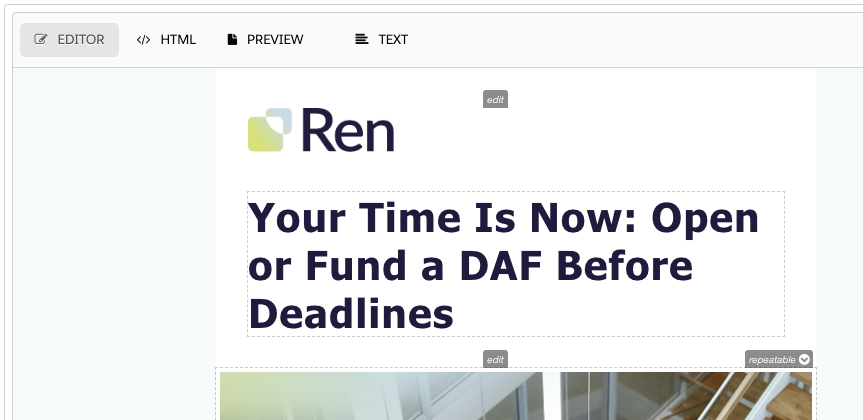
Section titled “Building view”The Building section is where most of the work happens. It provides three different editing modes:
-
Editor: Visual editor for content editing
-
HTML: Raw HTML view where developers paste and adjust the template code
-
TEXT: Plain-text version of the email (used by some email clients)
Render testing
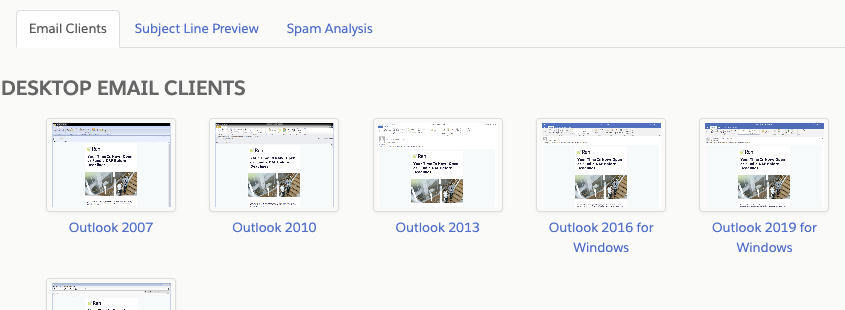
Section titled “Render testing”Pardot provices a way to test the email templates on a variety of clients and devices (it uses Litmus under the hood). To run a render test:
- Open a template in the editor
- Click the TESTING tab in the top navigation
- Click New Render at the bottom of the page

Each test result can be opened in a modal to inspect rendering details.
Editable regions
Section titled “Editable regions”To make email templates editable in Pardot, we use special HTML attributes that define which parts of the template can be modified by content editors.
pardot-region and pardot-region-type attributes
Section titled “pardot-region and pardot-region-type attributes”The pardot-region attribute is used to define the region of the email that will be replaced with the content of the campaign, we can give it any name we want.
The pardot-region-type attribute is used to define the type of the region, it can be any of the following:
pardot(wysiwyg editor)image(image selector)link(editable link)simple(basic text)html(raw HTML)text(plain text)
Examples:
<Heading pardot-region="main_article_title" pardot-region-type="text">Heading</Heading><Text pardot-region="main_article_text" pardot-region-type="text">Text</Text><Img pardot-region="main_article_image" pardot-region-type="image" src="#" alt="Main article image" /><Text pardot-region="main_article_text" pardot-region-type="pardot">Text</Text><Button pardot-region="main_article_button" pardot-region-type="link">Button</Button>Repeatable regions
Section titled “Repeatable regions”pardot-repeatable attribute
Section titled “pardot-repeatable attribute”The pardot-repeatable attribute is used to define if the region is repeatable. This will show a small button-tooltip in the visual editor that allows for duplicating, removing, or moving up and down the region.
In the visual editor, this appears as a small tooltip control.
Examples:
<Section pardot-repeatable="section_main_article"></Section>Summary
Section titled “Summary”- Templates are built in HTML and enhanced with Pardot attributes
- Editors can modify only the regions explicitly marked as editable
- Render testing is mandatory to ensure cross-client compatibility
- Attribute placement is critical to avoid Pardot stripping content
Knowledge Check
Test your understanding of this section
Loading questions...