ACF Fields
In Terra, we use ACF fields to store structured data and make our PHP code dynamic.
This section covers how to access and render ACF fields in a clean and simple way.
Selecting Fields in the Plugin
Section titled “Selecting Fields in the Plugin”When creating fields in the ACF plugin, we carefully choose:
Label: The human-readable name seen in the editor.
Name: The programmatic key used in PHP (get_field(‘name’)).
Field Type: Determines the kind of input (Text, Textarea, Image, Link, True/False, Select, etc.).
This helps keep the data structured and predictable. You can also add instructions or conditional logic for editors.
Example for editor view:
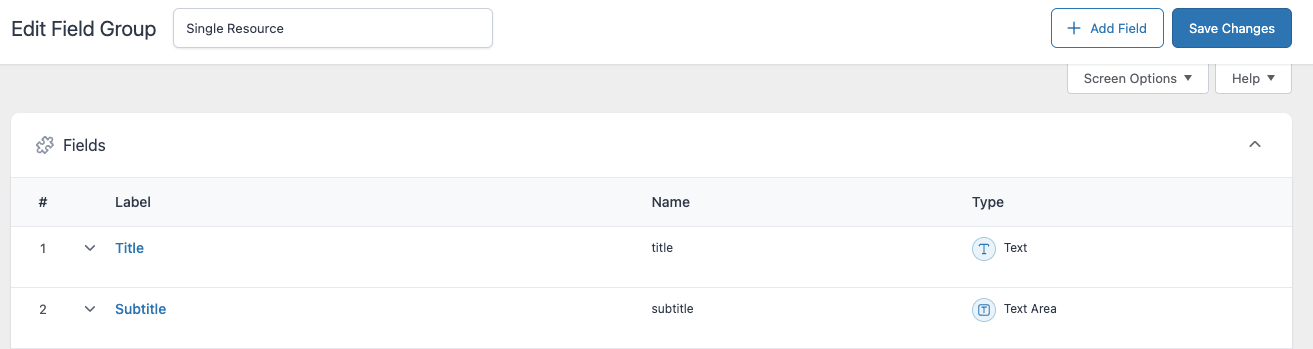
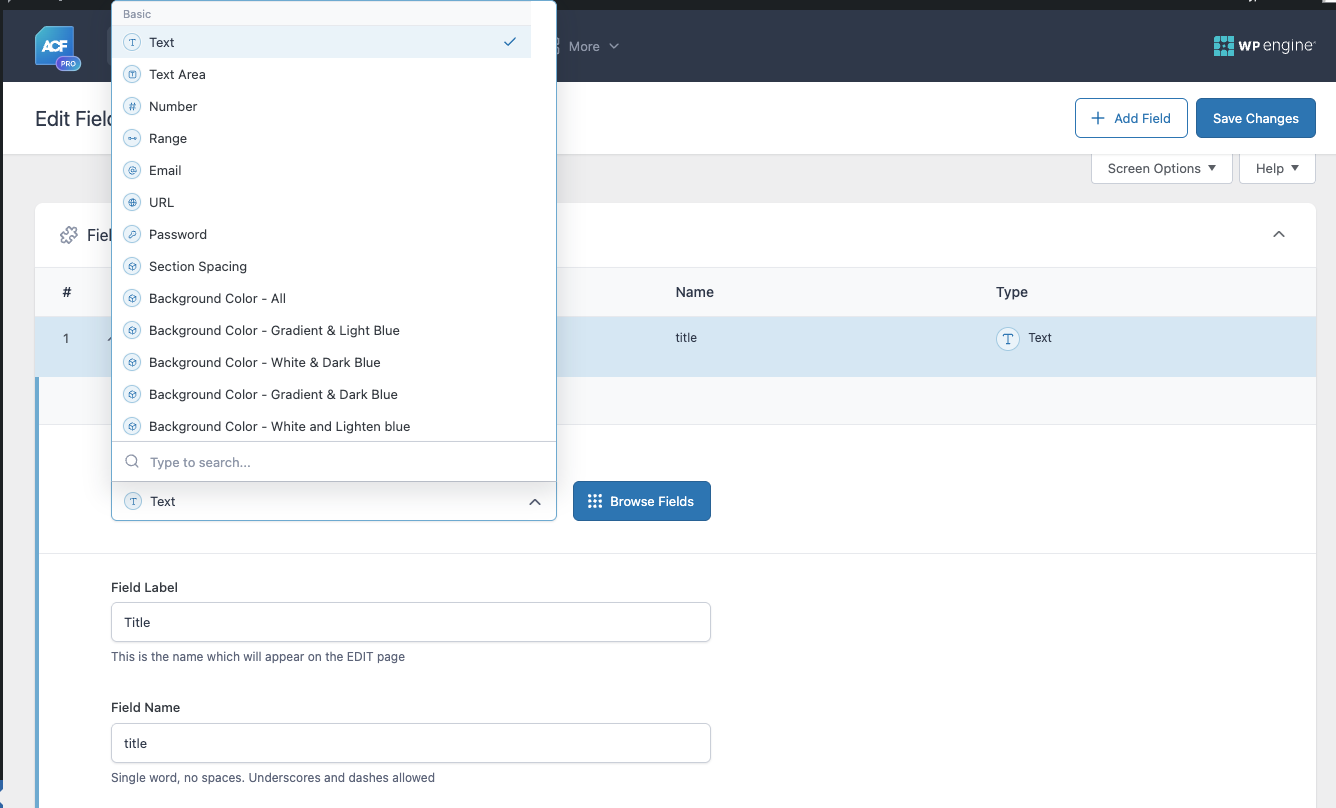
Basic Field Example
Section titled “Basic Field Example”<?php$title = get_field('title');$subtitle = get_field('subtitle');?>
<section> <h2><?= esc_html($title); ?></h2> <p><?= esc_html($subtitle); ?></p></section>Note:
While WordPress returns data that is generally safe, it is best practice to escape output using functions like esc_html(), esc_url(), or esc_attr().
This ensures your code is secure even if the data changes in the future.
Flexible Module Example
Section titled “Flexible Module Example”When working with a flexible module, the structure is usually an array, e.g., $module['title']:
<?php$title = $module['title'];$subtitle = $module['subtitle'];?>
<section>    <h2><?= esc_html($title); ?></h2>    <p><?= esc_html($subtitle); ?></p></section>
The principle is the same: always escape output, even if you trust the source.
Quick Reference
Section titled “Quick Reference”get_field('name')→ Returns value of a single field$module['name']→ Access value inside a flexible module- Always check for existence before outputting
- Use
esc_html(),esc_url(),esc_attr()for safety
Next Steps
Section titled “Next Steps”The next step will cover Custom ACF Fields. Sometimes the default field types provided by ACF are not sufficient, so we create custom fields to handle more complex data structures and extend functionality.
→ Continue to Custom ACF Fields
Knowledge Check
Test your understanding of this section
Loading questions...